A smart home phone isn’t just another gadget collecting dust on your nightstand, it’s the nerve center of your connected home. Unlike traditional landlines or basic smartphones, a smart home phone integrates directly with your smart home ecosystem, letting you control lights, locks, thermostats, and security cameras from a dedicated touchscreen hub. Whether you’re managing your home remotely, answering the door without being there, or automating routines with voice commands, these devices have become essential for modern homeowners. If you’ve invested in smart home technology, a dedicated phone makes everything easier and more reliable than juggling multiple apps.
Table of Contents
ToggleKey Takeaways
- A smart home phone serves as the central hub for your connected home, eliminating the need to juggle multiple apps across different smart devices and platforms.
- Modern smart home phones feature touchscreens ranging from 7 to 15 inches, voice control, HD video calling, and battery backup that keeps them functional for 6–12 hours during power outages.
- Compatibility with your primary smart home ecosystem—Amazon Alexa, Google Home, or Apple HomeKit—is critical; verify multi-device support before purchasing to avoid control limitations.
- Proper wall installation requires locating studs, using heavy-duty drywall anchors rated for 10+ pounds, and ensuring your Wi-Fi connection offers at least 10 Mbps download speed for reliable video and real-time control.
- Maximize your smart home phone by creating automation routines for key scenarios (leaving home, bedtime, movie time), using voice commands frequently, and integrating doorbell and camera feeds directly into the device.
- Security setup is essential—use strong PINs or biometric locks, enable two-factor authentication, and review privacy settings to protect doorbell footage and prevent unauthorized access to smart locks and thermostats.
What Is a Smart Home Phone and Why You Need One
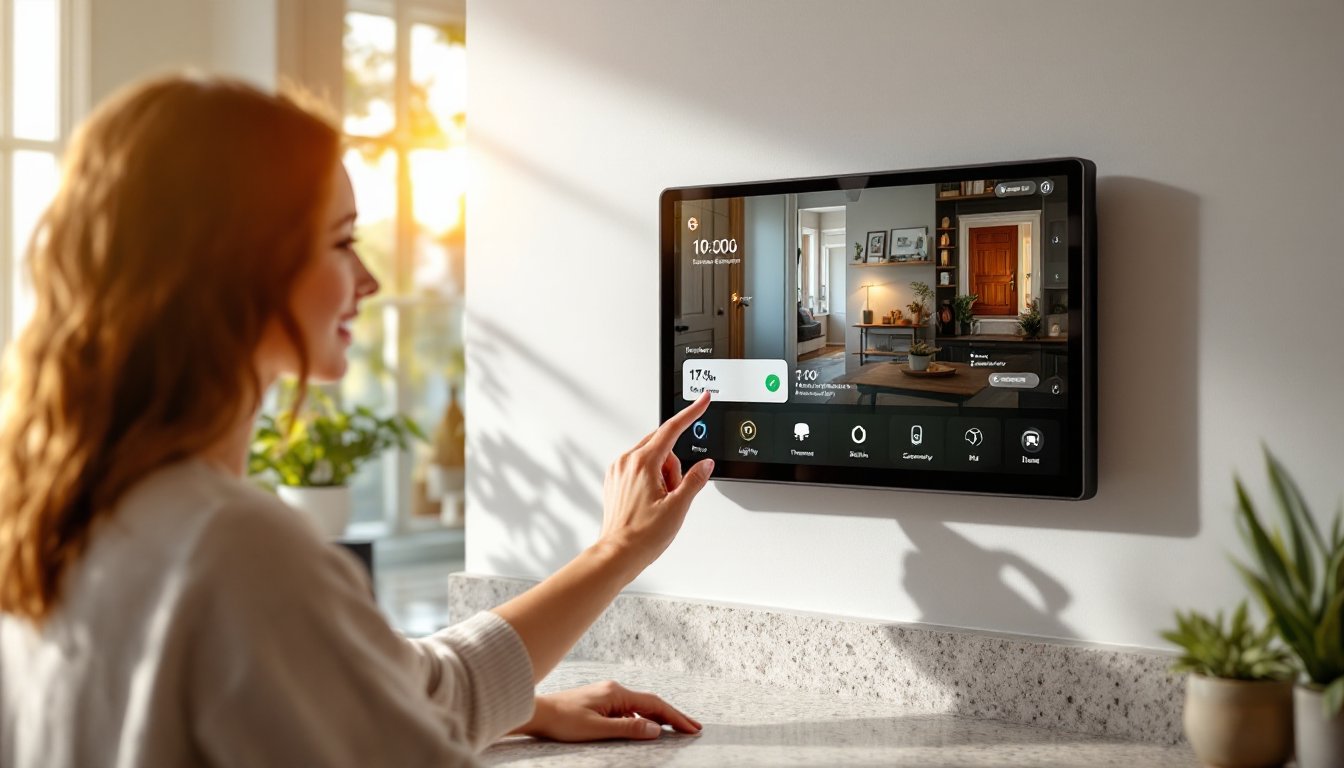
A smart home phone is a dedicated touchscreen device designed to be your home’s central communication and control hub. Unlike your personal smartphone, it’s typically mounted on a wall or kept in a central location like the kitchen, serving as the permanent nerve center for your connected home.
These devices combine video calling, messaging, and smart home control in one interface. They let you answer doorbell cameras, check security feeds, adjust your thermostat, control lighting, and unlock doors, all from a single screen. Some models even display weather, calendar events, and recipes while you cook.
You need one because managing a smart home through scattered apps is exhausting. Instead of opening five different apps to lock the door, dim lights, and check the security camera, you tap once on the smart home phone. The device works even when your internet hiccups or your phone battery dies, and it offers a family-friendly interface that doesn’t require tech skills. Kids and elderly relatives can easily control lights or call family members without navigating smartphone menus.
Key Features and Capabilities of Modern Smart Home Phones
Modern smart home phones pack serious functionality. Touchscreens typically range from 7 to 15 inches, offering enough real estate to display security camera feeds, control panels, and video calls without squinting. Most support high-definition video calling, letting you see who’s at the door or communicate with family members across the house or while traveling.
Voice control is standard, you’ll issue commands to turn off lights, adjust temperatures, or play music without touching the screen. Built-in microphones and speakers mean you can answer calls and communicate hands-free, crucial when you’re cooking or holding a child.
Battery backup is critical. Quality models include rechargeable batteries (usually 4,000–8,000 mAh) that keep the device running for 6–12 hours during power outages. Cheaper models without batteries become useless when the power goes out.
Most smart home phones include multi-user support, so different family members can create profiles, control their own automations, and receive personalized notifications. This beats having a shared login on everyone’s phone.
Integration With Your Smart Home Ecosystem
The real value comes from ecosystem integration. Top smart home phones work seamlessly with devices from Amazon Alexa, Google Home, and Apple HomeKit ecosystems. Some models support multiple ecosystems simultaneously, which matters because your smart lights might be on one platform and your thermostat on another.
You should confirm compatibility before buying. Best Smart Home Tech breaks down which devices play nicely together. A smart home phone that only works with Amazon won’t control your Apple TV or HomeKit lights, a real problem if you’re mixed across platforms.
Integration also means automation routines. You can program “Leaving Home” to lock doors, arm security, and turn off lights with one tap. “Bedtime” might dim lights, lock windows, and lower the thermostat. These routines sync across all your smart devices, making your home respond to your schedule automatically.
How to Choose the Right Smart Home Phone for Your Needs
Start by identifying your primary smart home platform. If your home is 80% Amazon Alexa devices, an Amazon Echo Show or Echo Hub makes sense. Heavy Google Home users should look at Google Nest Hub models. Apple users should consider HomePods or iPad minis optimized for HomeKit, though these won’t control non-Apple devices.
Screen size matters more than you’d think. A 7-inch model works for apartment living and kitchens, but if you’re mounting it in a central hallway or living room, 10–15 inches is much more usable. You’ll actually want to use it instead of reaching for your phone.
Consider placement and power. Wall-mounted models need permanent installation, you’ll need to run power cables or ensure nearby outlets exist. Mounting on drywall often requires finding studs or using heavy-duty drywall anchors rated for at least 10 pounds. Tabletop models are more flexible but take up counter space. Dock-style chargers are popular for kitchens since they keep the device always charged and ready.
Check for video calling quality. A 5MP camera with digital zoom beats a 2MP fixed lens if you plan to answer the doorbell or video conference. Night vision is essential if your doorbell camera feeds into it.
Budget realistically. Entry-level smart home phones run $100–$200, while premium models with larger screens and robust ecosystems hit $400+. Cheaper isn’t always wrong, a basic Echo Show 5 might be perfect for a secondary location, but skipping video or audio quality in a high-traffic area feels cheap fast. Compare the top smart home tech available today to see what options fit your budget.
Installation and Setup Tips for DIY Homeowners
Installation is usually straightforward, though wall-mounting requires care. If your smart home phone comes with a wall mount, inspect the bracket for weight capacity, it should exceed the device’s actual weight by at least 50%. A 2-pound smart home phone needs a mount rated for 3+ pounds.
For wall installation:
- Locate studs in your wall using a stud finder. Studs are the strongest mounting points and avoid issues with drywall anchors failing over time.
- If mounting between studs is unavoidable, use heavy-duty drywall anchors rated for 10+ pounds (toggle bolts or expanding anchors work better than plastic anchors for this weight class).
- Drill pilot holes at the marked locations. Use a drill bit slightly smaller than your fasteners.
- Install the mounting bracket securely. Test it by gently pulling the bracket before attaching the device.
- Route power cables behind wall trim or use cable management raceways if running cord is visible.
For tabletop setup:
- Choose a central, high-traffic location, kitchens, entryways, and hallways work best.
- Keep the device on a stable surface away from water sources, though most modern phones are splash-resistant.
- Use a dock or stand to angle the screen at eye level when standing or sitting.
Network setup is critical. Connect your smart home phone to your strongest Wi-Fi network, preferably a 5GHz band if available (2.4GHz is more reliable for older homes with thick walls). Keep it within 20 feet of your router. Run a quick speed test once connected, your phone should see at least 10 Mbps download speed for video and real-time control to work smoothly.
Sync your smart home accounts carefully. Add your Amazon, Google, or Apple credentials exactly as instructed. Double-check passwords before submitting, a typo locks you out. Set up multi-user accounts for family members, assigning appropriate permissions (kids might control lights but not locks). Test everything works: adjust a light, change the thermostat, answer a doorbell camera feed. Troubleshoot now rather than discovering issues during an emergency.
Security setup isn’t optional. Set a strong PIN or biometric lock so guests or kids can’t unlock doors or adjust thermostats. Enable two-factor authentication on linked accounts. Review privacy settings, decide what security footage gets saved and who can access it.
Maximizing Your Smart Home Phone: Best Practices and Hacks
Once installed, smart home phones deliver the most value when they’re central to your routine. Create routines for every major scenario: leaving home, arriving home, bedtime, and movie time. “Movie Time” might dim lights to 20%, close blinds (if you have motorized blinds), and silence notifications. These routines save time and make your home feel responsive.
Use voice commands liberally. Most people stick to touchscreen taps and miss the phone’s voice potential. Saying “Alexa, I’m leaving” activates your entire leaving routine faster than tapping buttons. Train household members to use voice, it’s faster than asking someone else to control the lights.
Integrate your doorbell, cameras, and locks immediately. A smart home phone without doorbell integration is like having a TV that only plays one channel. When someone rings the bell, the phone’s screen should light up automatically and show the camera feed. This matters for security and convenience.
Pair it with a smart home tech strategy that accounts for internet redundancy. Some smart home phones work locally even if internet drops, but others require cloud connectivity. Know your device’s limits. If internet is critical for your locks and cameras, consider a backup internet source (mobile hotspot, secondary Wi-Fi, etc.).
Check for firmware updates monthly. Manufacturers push security patches and new features regularly. Enable automatic updates if available, a vulnerable smart home phone is worse than no phone at all.
Experimentation matters. Explore lesser-known features like routines triggered by arrival or departure, automation rules based on time of day, or integrations with security systems. Manufacturers often hide powerful functionality in menus that deserve exploration. Your smart home phone should feel smarter every month you own it, not stale after the first week.
Conclusion
A smart home phone transforms how you interact with your connected home. It replaces app juggling with a single, family-friendly hub that handles communication, control, and automation. Installation is manageable for most DIYers, mount securely, connect to strong Wi-Fi, sync your accounts, and test everything works. The result is a home that responds instantly to your needs without requiring a smartphone in your hand constantly. Once you’ve lived with one, going back to managing smart home devices through scattered apps feels like moving backward.